Retail Stock Management Software
While you carry a few dozen products, a spreadsheet works. As the assortment grows, trouble starts: mixed-up stock, “negative” balances, guesswork pricing, blind purchasing. You sell an item that is “out of stock”, reorder what you already have plenty of, and month-end totals never match the shelf. Each of these small failures quietly drains money from the store.
ERPJS is retail stock management software for small business — shops, e-commerce and wholesale. A product card with full history, sales, purchasing, real-time stock levels, barcodes and FIFO costing. Runs online in the browser, nothing to install. The free plan has no time limit: sign up and start keeping records today.
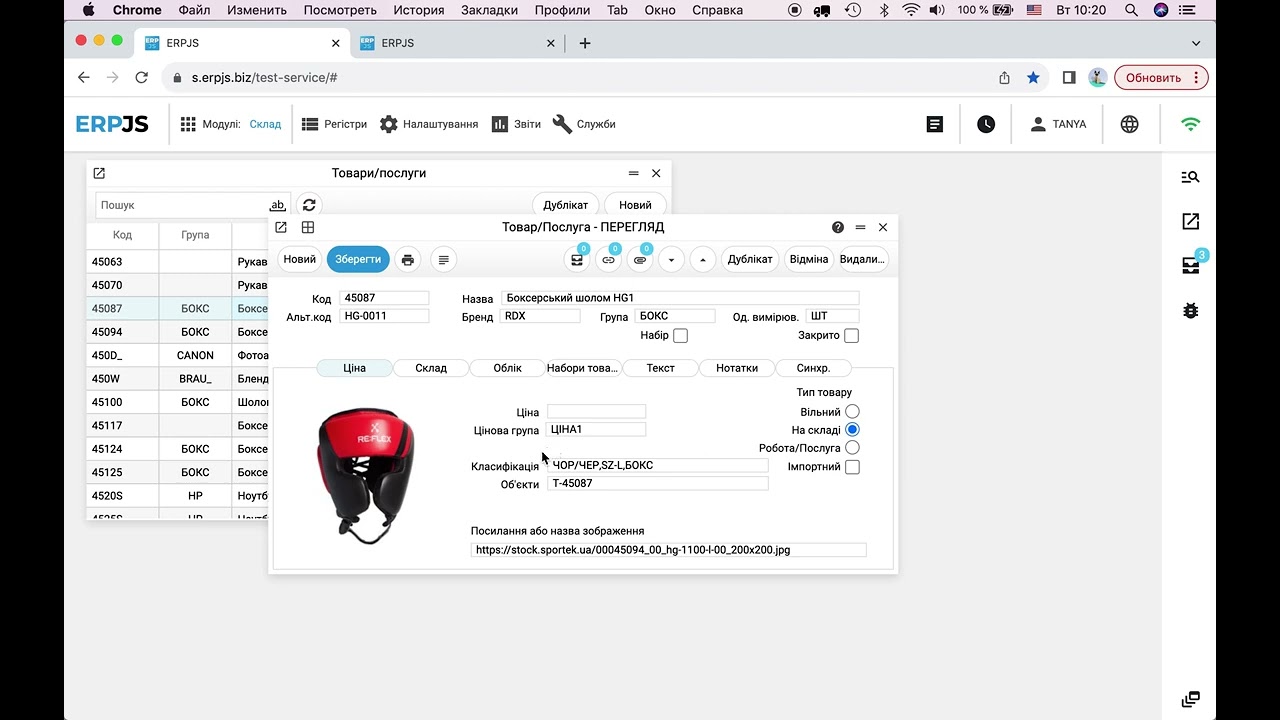
What ERPJS does for your store
Product card with history
Everything about an item in one place: stock by location, prices, supplier, barcodes — and the full movement history from receipt to sale.
Real-time stock levels
Sold, received, transferred — the balance updates instantly. No more spreadsheet reconciliation at month end.
Reorder reminders
Set a minimum level per product — a report shows which items are running low and how much to order.
Which retail tasks does it cover?
Stock control is not just “writing down sales”. It is a chain of tasks that ERPJS connects into one system:
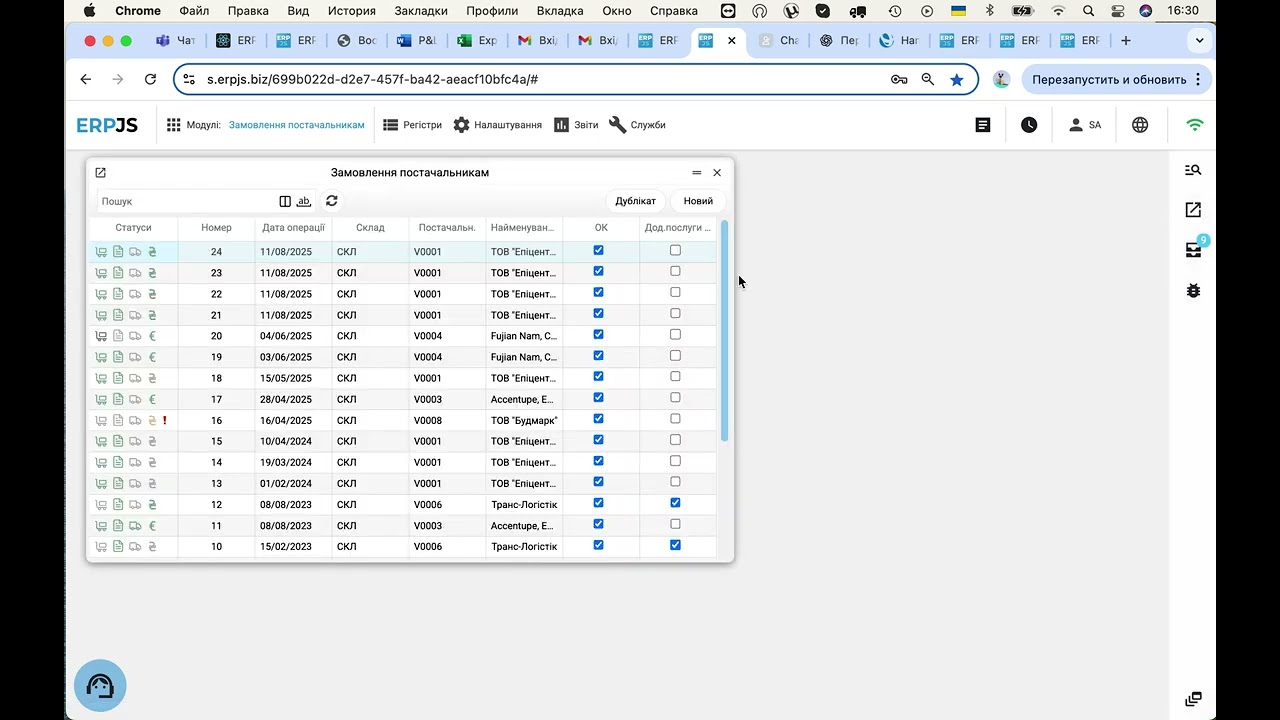
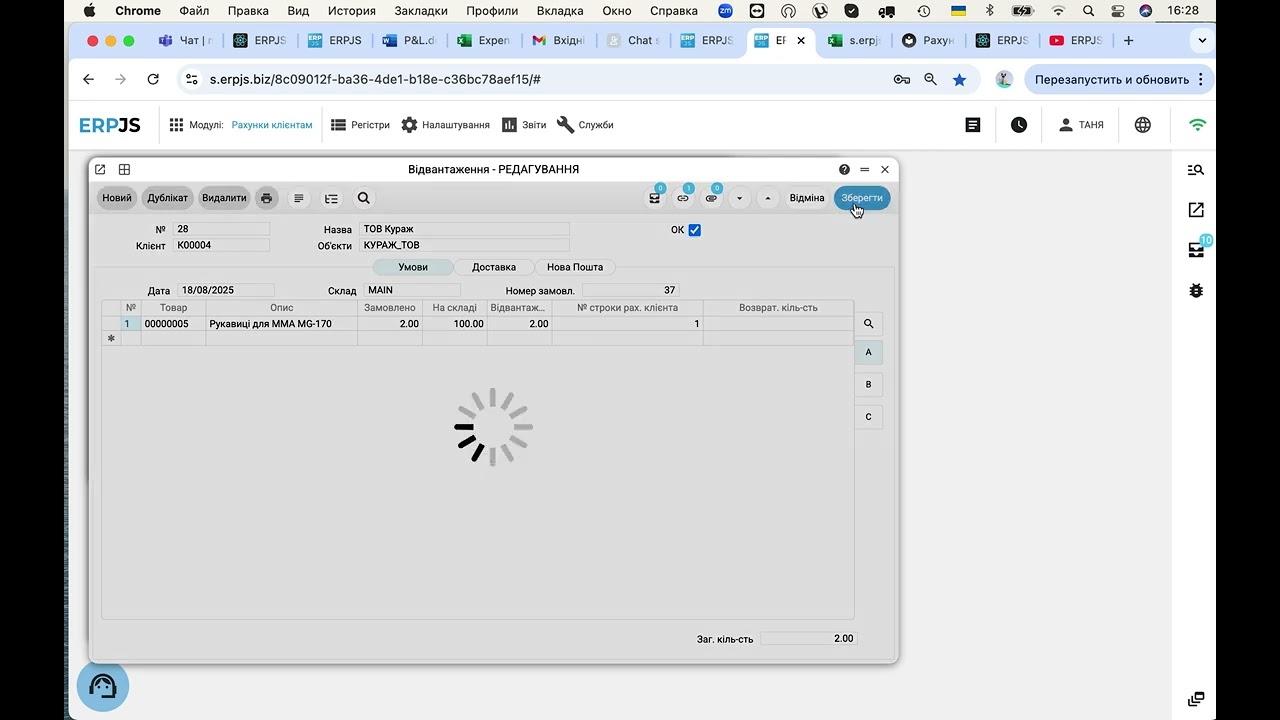
- Sales — invoice, shipment, returns. Every sale immediately reduces stock and records who bought and at what price.
- Purchasing — purchase orders, goods receipts, returns to supplier. A receipt is created straight from the order — no retyping line by line.
- Pricing and margin — price lists and discounts linked to a customer. Prices can be calculated by formula from cost, so markup stops being guesswork.
- Reservations — stock is reserved against customer orders: available = on hand minus reserved. Two managers can no longer sell the same unit twice.
- Documents — sales receipts, delivery notes and other paperwork printed in one click.
And when a sale is not made from the shelf but against an order — with a request, reserved stock, a deadline and a shipment — that works differently. It is covered on the order management software page.
How much do you actually earn per product?
The most common small-retail mistake is calculating margin from the purchase price alone. Real cost also includes freight, customs and defects. ERPJS calculates cost using FIFO automatically and allocates landed costs (transport, customs) to the goods received. Reports show the honest margin per product — so you can see which items feed the store and which merely occupy the shelf.
Sales tracking: what sells and what just sits
Sales tracking answers the questions stock levels never show: which items move every week and which have been sitting since winter, how much a location took this month, and which customers come back. Every sale is recorded, and the reports build themselves — no spreadsheet merging at month end.
- Sales by period. How much was sold in units and in money — by day, week or month.
- Best and worst sellers. What brings the revenue, and what only occupies shelf space and tied-up cash.
- Sales by customer. Who buys regularly and for how much — the basis for discounts and repeat business.
- Revenue and margin side by side. Not just how much you sold, but how much you earned after cost.
In retail this works together with the till and receipts: a sale is one document, stock goes down, and the revenue lands in the report immediately.
Still in spreadsheets?
A spreadsheet is a fine start: free and familiar. It breaks exactly when the business grows — two salespeople cannot work in one file at the same time, formulas drift, history disappears, and stock gets “fixed” retroactively without a trace.
ERPJS needs no download — it runs online, and the free plan costs nothing with no expiry. Import your product list from a spreadsheet via CSV in about an hour, and from then on every stock change has an author, a date and a document behind it.
ERPJS covers the full product cycle — from purchase order to sale and return — in one system. Stock, prices, margin and documents stop drifting apart across spreadsheets: everything lives in the product card.
Selling online?
For e-commerce ERPJS ships with ready integrations: orders from marketplaces are created in the system automatically, while catalogue, stock and prices sync on schedule. Stock is shared across channels — a marketplace sale instantly reduces availability for the store and the website, so cross-channel overselling disappears. Shipping and fiscal receipt integrations are available for the Ukrainian market (Nova Poshta, PRRO).
Who is ERPJS for?
A good fit:
- Retail stores — from a single shop to a chain
- E-commerce and marketplace sellers
- Wholesale and distribution
- Electronics and appliance stores (serial numbers, warranty tracking)
- Businesses with several locations or warehouses
Not a fit:
- Very high-volume retail (hundreds of POS receipts per minute)
- Businesses that need batch/lot tracking with expiry dates (pharma, fresh food) — ERPJS does not offer this yet
How to start — 3 steps
- Sign up — one minute on the registration page, confirm your email and the workspace is ready.
- Import products — upload your list via CSV or enter items manually.
- Opening balances — record what is currently on the shelves as your first goods receipt.
Fifteen minutes later the system shows the real picture of your store. A week later you will have forgotten spreadsheet life.
Why ERPJS?
- Free plan with no deadline — not a 14-day trial but a fully working system; paid features are added only when you actually need them.
- Open business logic — partners or your own developers can adapt the system to your specifics.
- On-premise option — for businesses that must keep data on their own server.
- Built in Ukraine — a full accounting core, support that answers, and native integrations for the Ukrainian market.
See it in action
FAQ
Does it track sales and produce sales reports?
Yes. Every sale is recorded as a document, and the system builds the reports: how much was sold in a period, which products lead, which customers buy regularly, and what the margin is after cost.
Is the free plan really free?
Yes. The free plan works with no time limit: sales, purchasing, stock, product cards and documents. Paid features (extra users, bank and marketplace integrations) are added separately when the business grows into them.
How do I move my products from a spreadsheet?
Via CSV import: export your sheet, map the columns, and the catalogue is in the system. Current stock is recorded as an opening goods receipt. A store with a few thousand SKUs migrates in an hour or two.
Can I run several stores or warehouses?
Yes, the number of locations is unlimited even on the free plan. Transfers between them take one document, and stock is visible per location and in total.
Are barcodes supported?
Yes. Products can have barcodes attached, labels can be printed, and scanners speed up receiving and stock counts significantly.
Does it track real product cost?
Yes — FIFO costing is automatic, and landed costs such as freight or customs are allocated to received goods, so margin reports reflect reality rather than the purchase price alone.
Where is my data stored?
In the cloud with automatic daily backups. An on-premise installation is available for businesses that must keep data on their own infrastructure.
Blog articles
- How to run a stock count: step by step, with the traps
- A working day in an accounting system: what you actually have to do
- A customer order: from the phone call to the shipment
- Free accounting software: what is actually free, and what you end up paying for
- An invoice for a client — in one sentence, without opening the app
- How a Store Owner Connected His Site to His Accounting System Without a Single Developer
- Sales Price: Calculate It From Cost, Don't Guess
- Fiscal Receipts Without a Separate Cash Register