Inventory Management Software for Small and Medium Business
If you run your warehouse in Excel or notebooks — sooner or later you pay for it with time and errors. Stock numbers that don’t match, missed purchase orders, hours of manual reconciliation at month-end, conflicts between managers over actual inventory levels. At some point Excel stops scaling — you need a system.
ERPJS is a full-featured online inventory management software for small and medium business. Real-time stock levels, stock-count with discrepancy reports, multiple warehouses, serial numbers, barcodes. Works in any browser on any device. Free plan with no time limit — you can start working today and switch to paid features as needs grow.
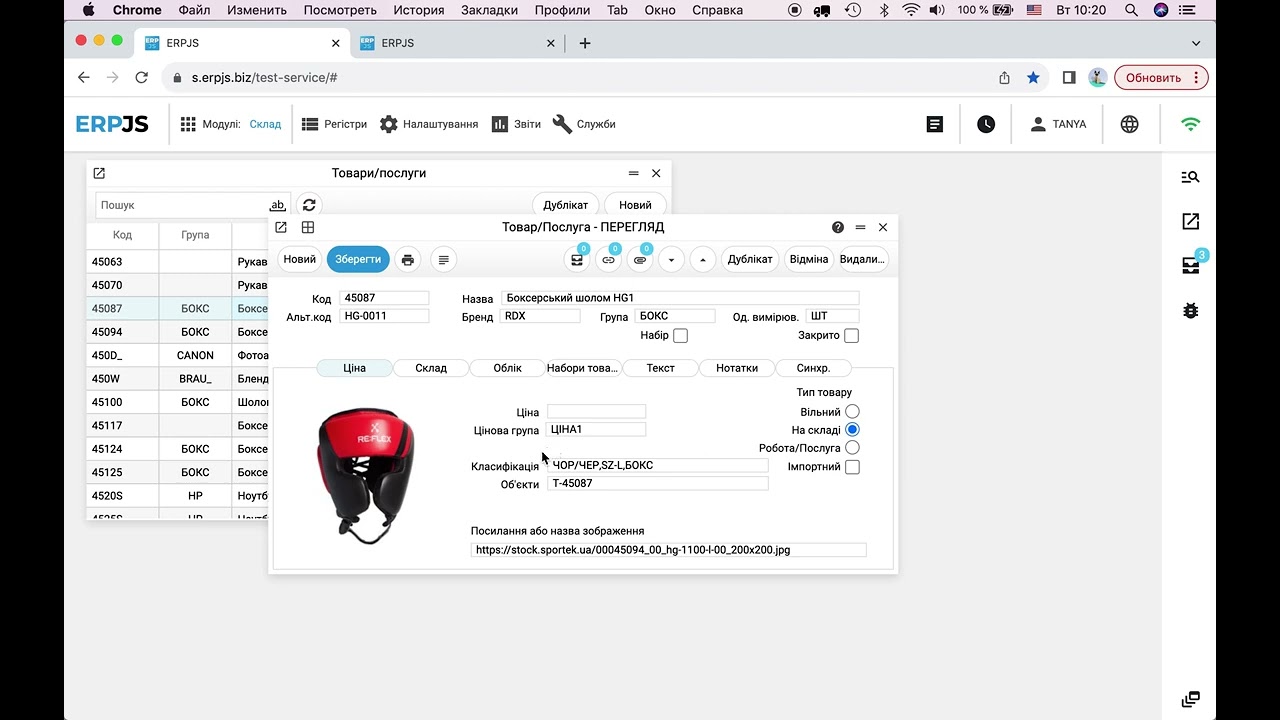
What the ERPJS inventory module can do
Real-time stock levels
Actual quantities update instantly after each operation. No more Excel reconciliation at month-end.
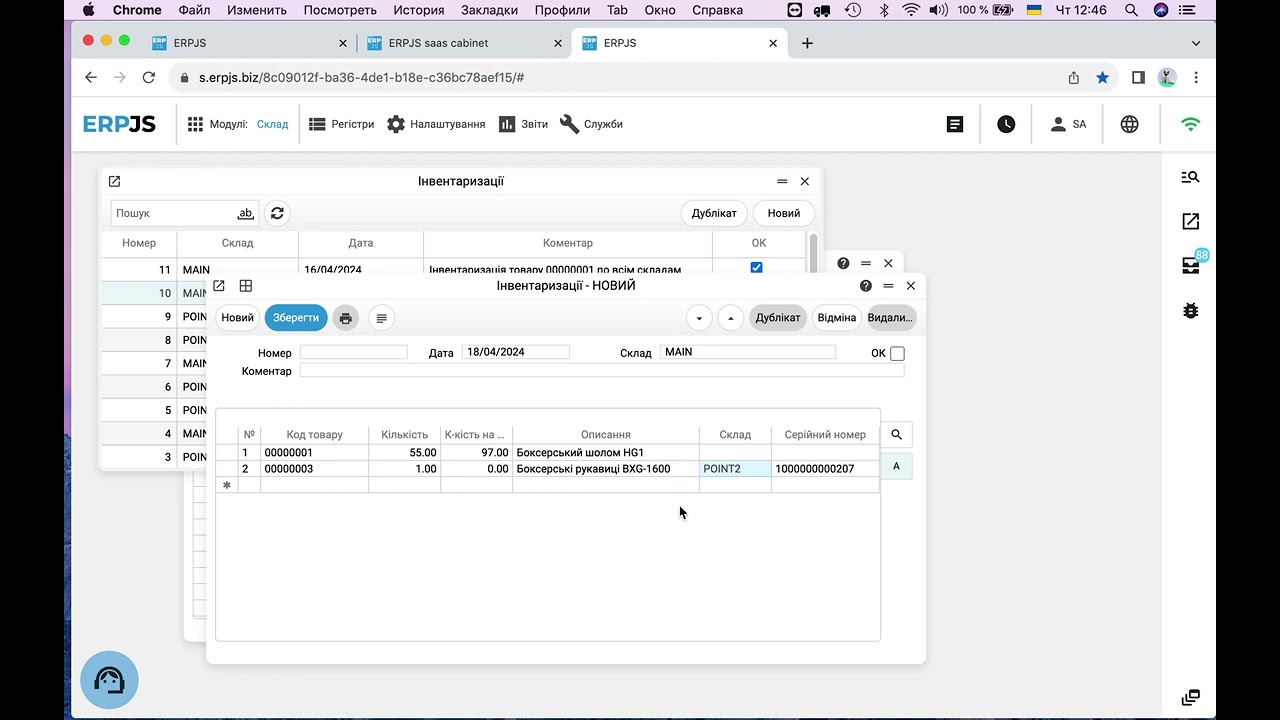
Stock-count with discrepancy report
Compare actual vs accounting. A separate discrepancy document can be converted into a write-off or stock-in.
Serial numbers and barcodes
Track unique units (electronics, vehicles, equipment). Full movement history per serial number.
What warehouse operations does ERPJS cover?
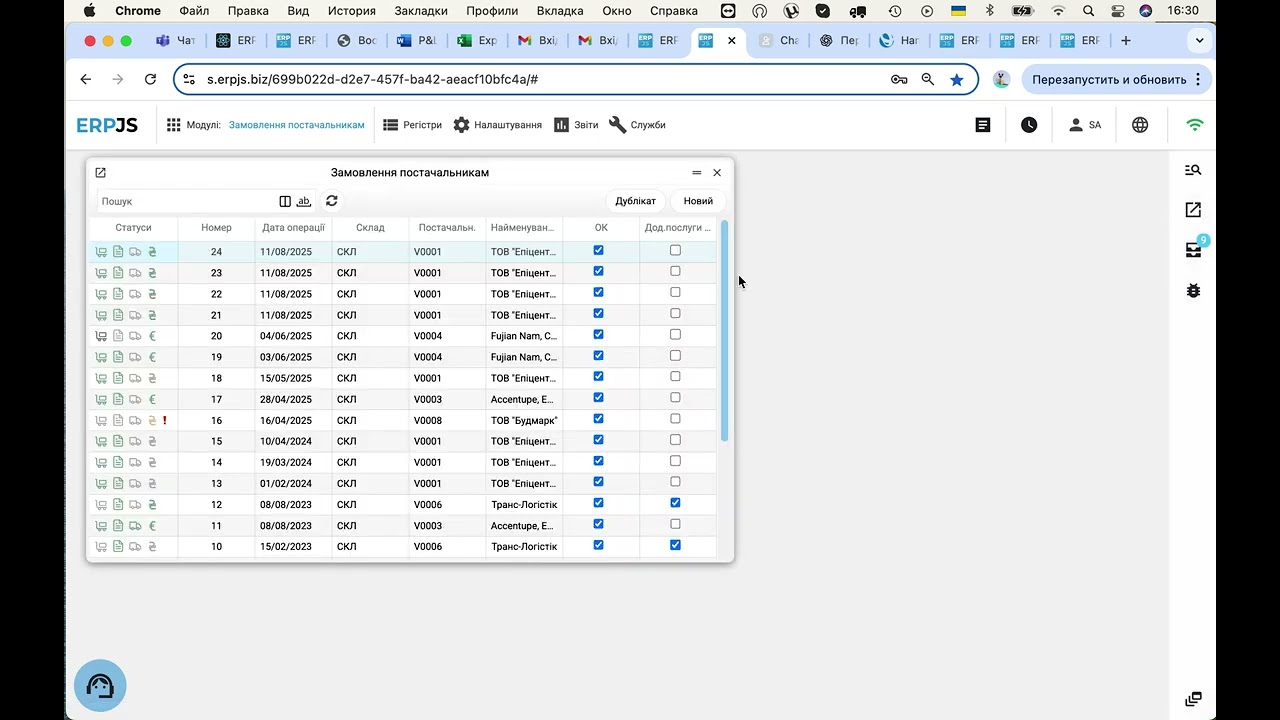
The standard cycle of inventory movement in the system consists of four operations:
- Goods receipt — recording incoming goods from a supplier. The warehouse, purchase price, responsible person and date are recorded.
- Transfer — movement of goods between your own warehouses (main → store, main → branch).
- Issue — shipping to a customer, sale, write-off, release to production.
- Stock-count — periodic physical inventory matching actual stock with accounting, recording discrepancies. The process in detail — on the stock count software page.
Each operation creates a document linked to the product, warehouse, responsible person and date. Stock levels update instantly — reports show the current product card with movement history over any period.
If you operate multiple warehouses (main, branch, retail point, online store) — transfers are done in one click. Each warehouse has its own responsible staff with individual access rights.
How this works in practice — see 5 signs your inventory management is broken.
How to track unique units — electronics, vehicles, equipment?
If your warehouse is not “10 bags of sugar” but “10 laptops with specific serial numbers” — you need to know exactly which laptop was sold to which customer. ERPJS supports unique-unit tracking three ways:
- Serial numbers — each unit has a unique identifier. You can trace the full history: who received it, where it was stored, who shipped it, who bought it, whether it’s still under warranty.
- Barcodes — for mass operations via scanners or mobile terminals. Speeds up stock-count by 3–5× over manual counting.
- Warranty terms — attached to the serial number, not the product type. You can check warranty status for any specific unit.
This is essential for service centres, electronics dealers, car dealerships, tool distributors. Regular spreadsheets can’t handle this — in ERPJS it’s a basic feature included in the free plan.
Minimum stock levels: the system tells you what to reorder
Each product can have a minimum stock level. As soon as the actual quantity drops below it, the item appears in the shortage report with a suggested reorder quantity. Purchasing stops being guesswork: you see what is running out before the shelf is empty.
Another classic growing pain — two managers selling the same unit. In ERPJS stock is reserved against customer orders: available = on hand minus reserved. The reserves report shows what is free and what is already promised to customers.
If your focus is the shop floor rather than the warehouse, see the retail stock management page: pricing, margins, receipts, marketplaces.
ERPJS covers the full inventory cycle — from goods receipt to stock-count — in one system. No more Excel reconciliation at month-end, no lost data between warehouses, no manager conflicts over actual stock.
Who is ERPJS for?
Good fit:
- Small and medium business (5–50 employees, up to 5000 SKUs)
- Retail (offline shops, wholesale, online stores)
- Service centres (with spare-parts and customer-equipment tracking)
- Distribution companies
- Manufacturing (with raw-material, WIP and finished-goods warehouses)
- Businesses with multiple warehouses or points of sale
Not a good fit:
- Large logistics operators and fulfilment centres (need a dedicated WMS)
- Very high-throughput retail (100+ operations per minute at POS)
How quickly can you start?
Three steps to a working inventory:
- Sign up — 1 minute on the authorization page. Email confirmation — and your workspace is ready.
- Import product catalogue — CSV import from a regular Excel file or manual entry.
- Create the first goods receipt — record items already in stock as initial balances.
In 15 minutes you have an accurate stock picture. In a week — the habit of running inventory outside Excel.
How does ERPJS differ from other systems?
ERPJS is a Ukrainian product with open business-logic code. What this means in practice:
- Support in English, Ukrainian and Russian — interface, documentation and team communication
- On-premise installation — for businesses that must keep data on their own servers
- Customisation — partners or your own developers can modify the system to fit your specifics. No waiting for vendor updates
- Free plan with no time limit — most competitors give 14–30 days, then prices jump to $15+ per user per month
If you’re comparing options — read How to choose inventory management software with concrete selection criteria.
See how it works
Frequently asked questions
Is the free plan really unlimited?
Yes. The plan works without time limits or document-count restrictions. Paid features (additional users, bank/marketplace integrations, custom reports) are added as needed — you switch to a paid plan only when you actually need to.
How fast can I migrate from Excel to ERPJS?
Import your product catalogue via CSV from a regular Excel file. Current stock balances can be entered as an initial goods-receipt document. A small business typically migrates in 2–3 hours.
How long does a stock-count take in ERPJS?
Depends on warehouse size. With a barcode scanner — 3–5× faster than paper-based counting. Discrepancies between actual and accounting are recorded in a separate document, which can be converted into a write-off or stock-in in one step.
Can I run multiple warehouses?
Yes. The number of warehouses is unlimited even on the free plan. Transfers between warehouses are done in one click. Each warehouse can have its own responsible staff and its own access permissions.
Is there a mobile app?
ERPJS runs in any browser — laptop, tablet or smartphone. No separate mobile app needed. For barcode scanning, you can use dedicated mobile terminals or a smartphone camera.
What about data security and backups?
Data is stored in Google Cloud by default. For businesses that need to keep data on their own server — on-premise installation is available. Backups are taken automatically every day.